
Free Arcade Typing Game
Falling Words
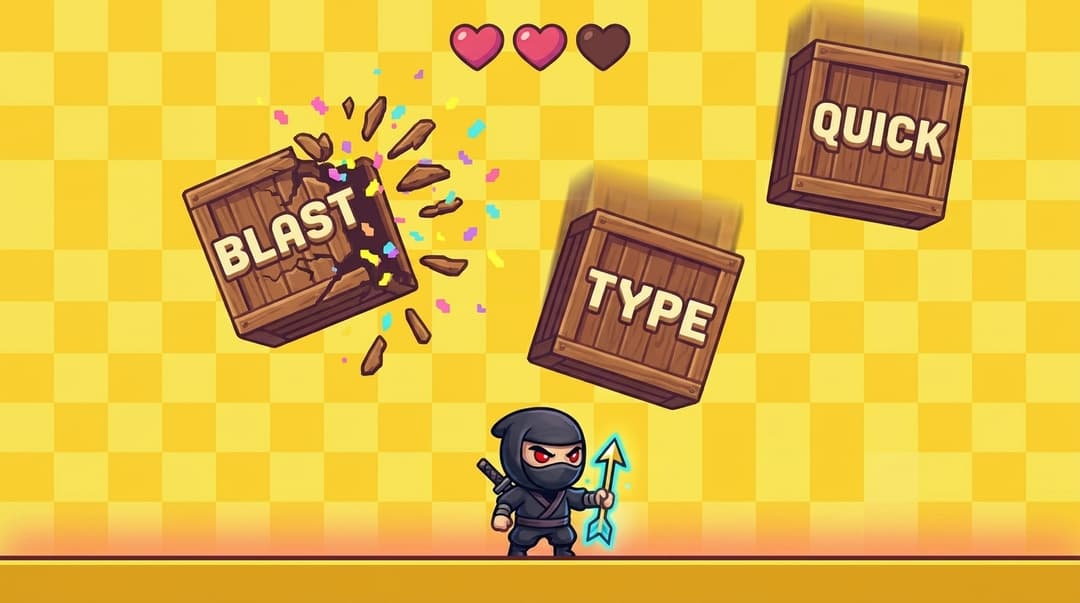
Boxes drop from the top with a word painted on each — type to smash them.
Loading…
Free Arcade Typing Game
Boxes drop from the top with a word painted on each — type to smash them.
The falling words typing game is straightforward: wooden boxes drop from the top of the play area at a steady fall speed, each with a single English word painted on its face. Your job is to type words before they fall — get the word right and the box plays a hit-then-break animation, bursts into pixel confetti, and adds points to your score. Miss it and you lose a heart.
As an arcade typing game the HUD shows three live numbers — Level (every 20 words advances you and shifts the scene theme), Score (longer words and longer combos pay more), and Best (your saved high score). It's a typing game with WPM tracker built in, so every run logs WPM and accuracy on the result card. You can have up to two boxes on screen at once, so reading ahead and locking onto the lowest one is part of the skill.
Wrong letters reset the input buffer instead of breaking your combo immediately — only a missed box (one that hits the floor) wipes the multiplier. Three full hearts plus the combo bonus on long words is what separates good runs from great ones.
25 px/s · 3–5 letters
Slow fall speed, common short words, generous spawn gaps. The right starting point if you're still finding keys without looking — your fingers get time to commit each letter to muscle memory.
40 px/s · 4–7 letters
Doubles up on every axis — faster fall, tighter spawn cadence, broader vocabulary. This is the typical "real practice" setting for someone already typing 30–50 WPM and chasing a clean streak.
60 px/s · 5–9 letters
Long words, fast drops, almost no breathing room. Combo decay hits hard here, but every cleared box is worth more points. Reserved for typists who want to pressure-test their accuracy under a real time crunch.
Most typing drills fail because they're boring — you stop after two minutes. A falling letters typing game flips that. The constant pressure of dropping boxes forces three things at once: pattern recognition (reading the word ahead before you start typing), motor commitment (no time to second-guess fingerings), and accuracy under load (errors literally cost lives).
Think of it as a type to destroy game — every word smashed is one less threat on the screen. Combine that with the per-run feedback loop (score, combo, level theme change every 20 words) and a typing game where words fall turns into sessions that feel like play but build the same muscle memory a 5-minute typing test would. Three to four short sessions a day for a couple of weeks reliably adds 5–10 WPM for most people, with cleaner accuracy as a bonus.
FastFingers offers two distinct typing games, plus a classic timed typing test. The typing game falling words format you're playing right now is one of them — it pairs well with the others rather than replacing them.
A typical practice routine: 30-second timed typing test to warm up, 5 minutes of Keyboard Jump for accuracy, then 5–10 minutes of Falling Words for speed. Visit the typing games hub to switch between games, or browse the FastFingers blog for more drill plans and typing-speed guides.
Falling Words is an arcade typing game where wooden boxes drop from the top of the screen with a word painted on each. Type the word before its box hits the ground to smash it — every cleared box gives you points and feeds your combo multiplier.
You start every run with 6 hearts. Each box that reaches the floor without being typed costs a heart. When all 6 are gone the run ends and your final score, WPM, accuracy, level reached, and best combo are shown on the result card.
Three: Easy (base fall 25 px/s, slow spawns, ramp up every 6 words), Medium (40 px/s, faster spawns), and Hard (60 px/s, longer 5–9 letter words). Picking your level is one click — the choice is saved in your browser for the next visit.
Every box you type without missing one in between extends your combo. Each completed word awards length × 10 base points plus a combo bonus, so a long streak compounds quickly. Missing a box (letting it hit the floor) resets the combo to zero.
The game runs in any modern browser, but you'll want a real keyboard to play well — a tap keyboard can't keep up with falling boxes. Open it on a laptop or desktop for the intended experience.
Yes. Your best score is saved in your browser automatically and displayed in the HUD as the BEST line. Sign in with a free account to also send completed runs to your global stats and the public typing leaderboard.