
What Is a Good WPM? Typing Speed Benchmarks by Job, Age & Skill (2026)
What is a good WPM? See typing speed benchmarks by job role, age, and skill level. Compare your score and learn how to hit 60-80 WPM — free test inside.
Last updated: June 7, 2026 · By the FastFingers Editorial Team
Key Takeaways
- A good WPM for most adults is 50–65 WPM with 95%+ accuracy. Fast is 65–80. Professional is 80+.
- The global average is around 40 WPM — so being "good" means typing 25–60% faster than the typical person.
- Check your own WPM in 60 seconds with our free 1-minute typing test — no signup, instant score.
"Is my typing speed good?" is one of the most googled typing questions on the internet — and the answer depends entirely on what you compare against. Good for a casual hobbyist is different from good for a job interview, and good in middle school is different from good in a data-entry role.
This guide gives you the real benchmarks: what counts as a good WPM by age, by job role, by skill level, and by typing test format. You'll know exactly where you stand and what to aim for next.
Want to know your current WPM right now? Take a free 1-minute typing test → No signup, instant WPM and accuracy.
What Counts as a "Good" WPM?
There is no single answer because "good" is contextual. But the typing community has consistent benchmarks that work for nearly every comparison. According to Wikipedia's words per minute reference and aggregated public typing-test data, the global average for trained typists sits around 40 WPM — which means anything above that puts you ahead of most people who use a keyboard daily.
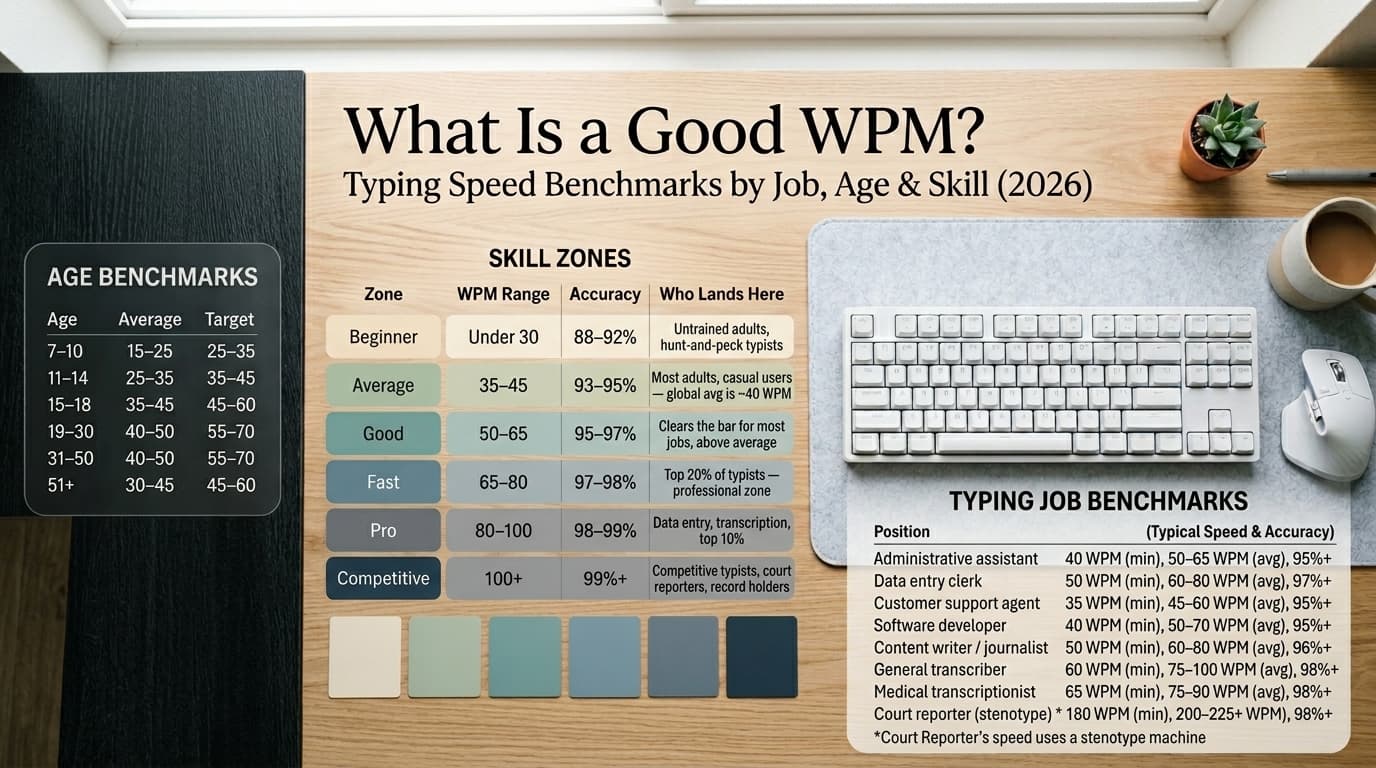
| Zone | WPM Range | Accuracy | Who Lands Here |
|---|---|---|---|
| Beginner | Under 30 | 88–92% | Untrained adults, hunt-and-peck typists |
| Average | 35–45 | 93–95% | Most adults, casual computer users — the global average is ~40 WPM |
| Good | 50–65 | 95–97% | Clears the bar for most jobs, comfortable above average |
| Fast | 65–80 | 97–98% | Top 20% of typists — professional zone |
| Pro | 80–100 | 98–99% | Data entry, transcription, top 10% of typists |
| Competitive | 100+ | 99%+ | Competitive typists, court reporters, world-record holders |
The quick rule: 50 WPM with 95%+ accuracy is the floor for "good." Most people who do not consciously practice typing land in the 35–45 WPM zone, so hitting 50+ already puts you ahead.
For context on how this compares to actual averages and population data, see our companion guide on average typing speed.
What Is a Good WPM by Job Role?
Different jobs have wildly different typing speed expectations. The numbers below reflect industry standards from sources like Wonderlic's typing speed by profession guide and the National Court Reporters Association:
| Job Role | Minimum WPM | Good WPM | Accuracy |
|---|---|---|---|
| Administrative assistant | 40 | 50–65 | 95%+ |
| Data entry clerk | 50 | 60–80 | 97%+ |
| Customer support agent | 35 | 45–60 | 95%+ |
| Software developer | 40 | 50–70 | 95%+ |
| Content writer / journalist | 50 | 60–80 | 96%+ |
| General transcriber | 60 | 75–100 | 98%+ |
| Medical transcriptionist | 65 | 75–90 | 98%+ |
| Court reporter (stenotype) * | 180 | 200–225+ | 98%+ |
Court reporters use specialized stenotype machines, not standard QWERTY keyboards. NCRA certification requires 180 WPM for literary, 200 WPM for jury charge, and 225 WPM for testimony — these speeds are not directly comparable to QWERTY typing. For the full breakdown of pre-employment typing assessment requirements, see our typing assessment test guide.
What Is a Good WPM by Age?
WPM varies by age because typing experience compounds over the years:
| Age Group | Average WPM | Good WPM |
|---|---|---|
| Ages 7–10 | 15–25 | 25–35 |
| Ages 11–14 | 25–35 | 35–45 |
| Ages 15–18 | 35–45 | 45–60 |
| Adults 19–30 | 40–50 | 55–70 |
| Adults 31–50 | 40–50 | 55–70 |
| Adults 51+ | 30–45 | 45–60 |
These are general benchmarks. Plenty of teenagers hit 80 WPM and plenty of adults in their 60s type 70+ WPM. Age is correlation, not destiny — daily practice matters more than birth year.
What Is a Good WPM on Different Test Lengths?
Your score depends on the test format too. Most typists score differently on 1-minute, 5-minute, and 10-minute tests:
| Test Length | Average | Good | Why It Differs |
|---|---|---|---|
| 1-minute test | 40–50 | 55–75 | Rewards burst speed |
| 5-minute test | 35–45 | 50–65 | Surfaces fatigue and rhythm |
| 10-minute test | 30–40 | 45–60 | Mental fatigue compounds |
Your 5-minute WPM is typically lower than your 1-minute peak. That gap is normal. The 5-minute number is closer to your real working speed — take a free 5-minute typing test to see yours.
How to Measure Your WPM Properly
Self-reported "good WPM" numbers are unreliable because most people guess high. The only way to know is to measure on a real test. Run through this checklist before you take one:
- Use a physical keyboard. Desktop or laptop. Never phone — autocomplete inflates WPM artificially.
- Sit properly. Feet flat, back straight, wrists in neutral position, screen at eye level.
- Hands on home row. A-S-D-F left, J-K-L-; right.
- Warm up for 30–60 seconds. Type the alphabet or a pangram to wake your fingers.
- Pick the right test length. 1-minute for quick checks, 5-minute for real working speed, 10-minute for endurance.
- Eyes on the screen the entire time. Even one peek at the keyboard distorts the result.
- Type at a controlled pace — not as fast as possible. Speed comes from accuracy.
- Read your Net WPM, not just Gross WPM. Net WPM penalizes errors and reflects real usefulness.
When the timer ends, write the number down. That is your honest WPM — not the number you think you can hit, the number you actually hit.
Take a free 1-minute typing test now → and see where you actually stand.
How to Improve from Average to Good WPM
If your test puts you at 35–45 WPM and you want to hit the 50–65 "good" zone, the path is straightforward:
- Practice 15–20 minutes daily. Daily short sessions beat weekend marathons every time.
- Drill the top 200 common English words. They make up ~50% of all typing.
- Use all 10 fingers in proper home-row position. This alone often unlocks 10+ WPM.
- Keep eyes on the screen. Looking at the keyboard caps your speed at ~40 WPM forever.
- Play reflex games to break plateaus. Try Keyboard Jump or Falling Words once drilling stops feeling effective.
- Take a weekly 5-minute test to track real progress.
Most people who follow this routine for 30 days see noticeable WPM gains — often enough to move from "average" to "good." For the full 9-technique playbook, see our how to type faster guide.
Is 100 WPM Possible for Anyone?
Yes, but it takes structured practice and time. Most people who reach 100 WPM:
- Started with proper 10-finger touch typing technique.
- Practiced consistently for many months to a year or more.
- Used reflex games and competitive platforms (TypeRacer, Nitro Type) to push past plateaus.
- Stay disciplined about accuracy first, speed second.
From 40 WPM, many people who practice daily and use proper technique can reach 100 WPM over the course of a year or more — the timeline depends on consistency, technique fixes, and how aggressively you train past plateaus. From 60 WPM, hitting 80–90 typically takes several months of focused daily practice. The gains slow down at higher levels, but they keep coming.
Common Mistakes That Make WPM Look Bad
If your test scores feel disappointing, one of these is probably the reason:
- Practicing on mobile. Predictive text fakes higher scores in casual use but real tests on physical keyboards expose the gap.
- Looking at the keyboard. Even occasionally. The habit caps your speed at ~40 WPM.
- Backspacing every error. Wastes time chasing perfection. Leave small mistakes if your test reports Net WPM.
- Skipping practice for 3+ days. Muscle memory fades fast. Daily 15 minutes beats once-a-week long sessions.
- Not warming up. Cold fingers in the first 30 seconds lose 5–10 WPM that you never recover.
- Bad posture. Hunching costs WPM through fatigue. Reset your setup once and benefit forever.
Final Thoughts
The quick answer: a good WPM is 50–65 with 95%+ accuracy for most adults. Fast is 65–80. Pro is 80+. The global average is ~40 WPM, so being "good" just means typing 25–60% faster than the typical person — which is achievable for anyone willing to practice 15–20 minutes a day for a few weeks.
Don't compare yourself to typing record-holders. Compare yourself to your own number from 30 days ago. That's the only benchmark that matters.
Take a free typing test on FastFingers → Write the number down. Take it again next month. See for yourself.